Keep track of
your money.
Track accounts, transactions, and spending across all your Apple devices. No account to create, no ads, no data collection.
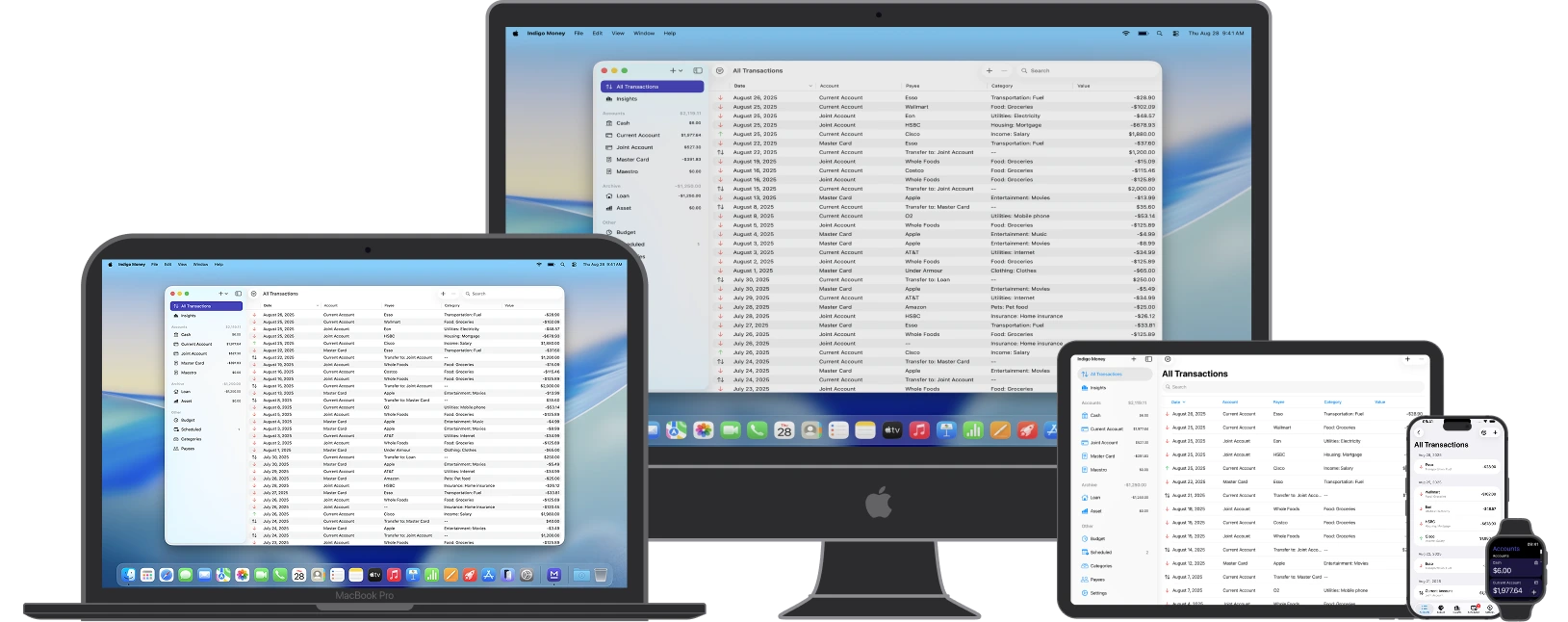
Everything in one place.
Whether you have one account or many, Indigo Money keeps your finances organised — on whichever Apple device you reach for.
8 Account Types
Cash, bank, credit card, loan, mortgage, asset, savings, and investment — group them however makes sense to you.
Import & Export
Bring in data from any app using CSV, QIF, or JSON — with column mapping to match any file format. Export or create encrypted backups anytime.
Zero Ads. Zero Tracking.
No account required. Your financial data stays on your device and is never sold, shared, or collected.
7 Insight Charts
Balance trends, cashflow, savings rate, and spending breakdowns by category, payee, and account — plus a daily heatmap.
150+ Currencies
Hold accounts in different currencies. Rates update daily and totals convert automatically to your base currency.
Data Security
Your data is protected by regular backups, password protection, and biometric authentication like Touch ID and Face ID.
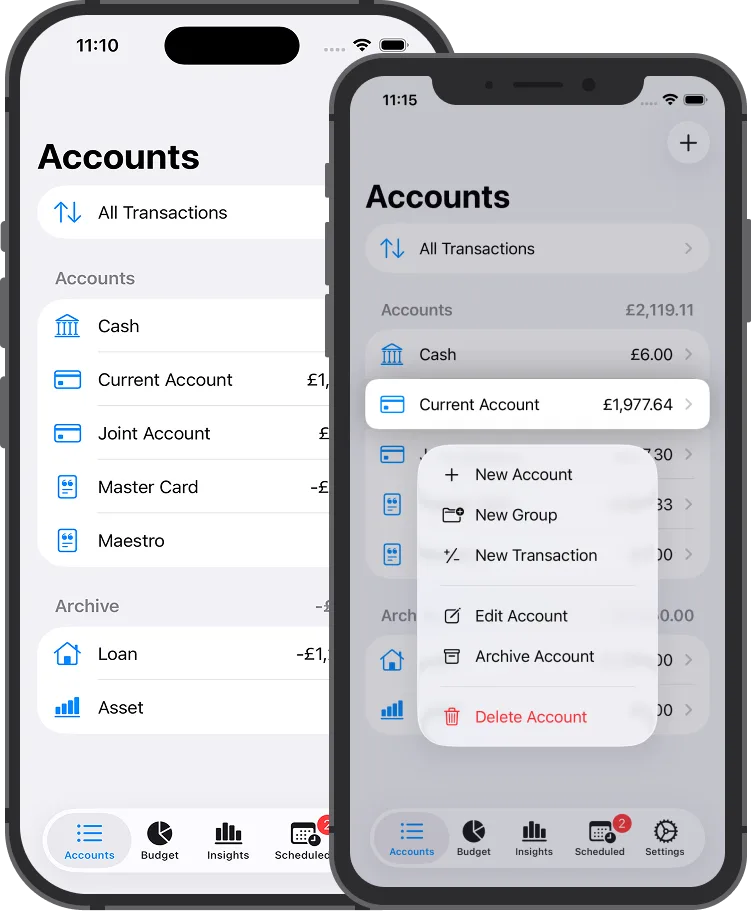
Every account
in one place.
Eight account types covering everything from day-to-day spending to long-term assets — all in one view.
- Cash, bank, credit card, loan, mortgage, asset, savings, and investment accounts
- Group accounts into folders to keep personal, business, or joint finances separate
- Reorder accounts and groups to match how you think about your money
- Archive old accounts without losing any historical transactions
- See a combined net worth total across all account types at a glance
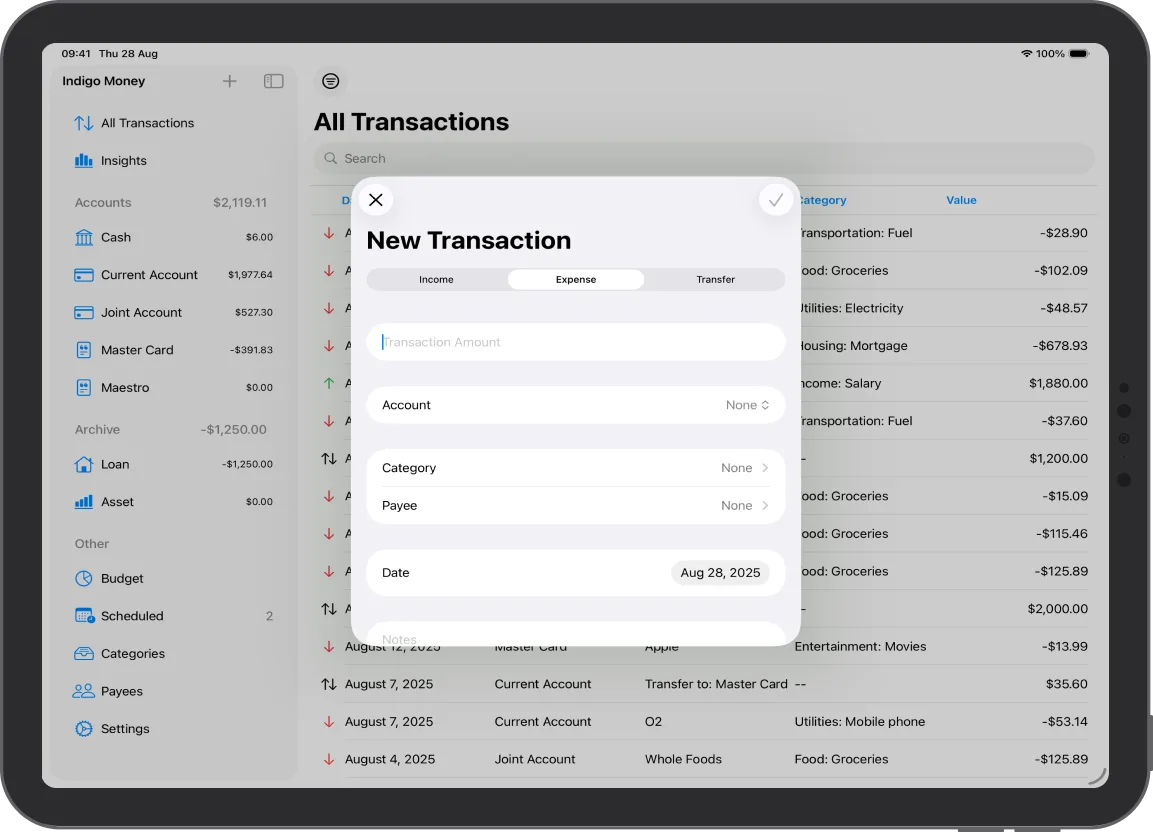
Manage transactions.
- Log income, expenses, and transfers with just a few taps
- Tag your transactions with Categories and Payees
- Add personal notes and manage recurring payments
- Supports multi-currency transactions with automatic exchange rates updates
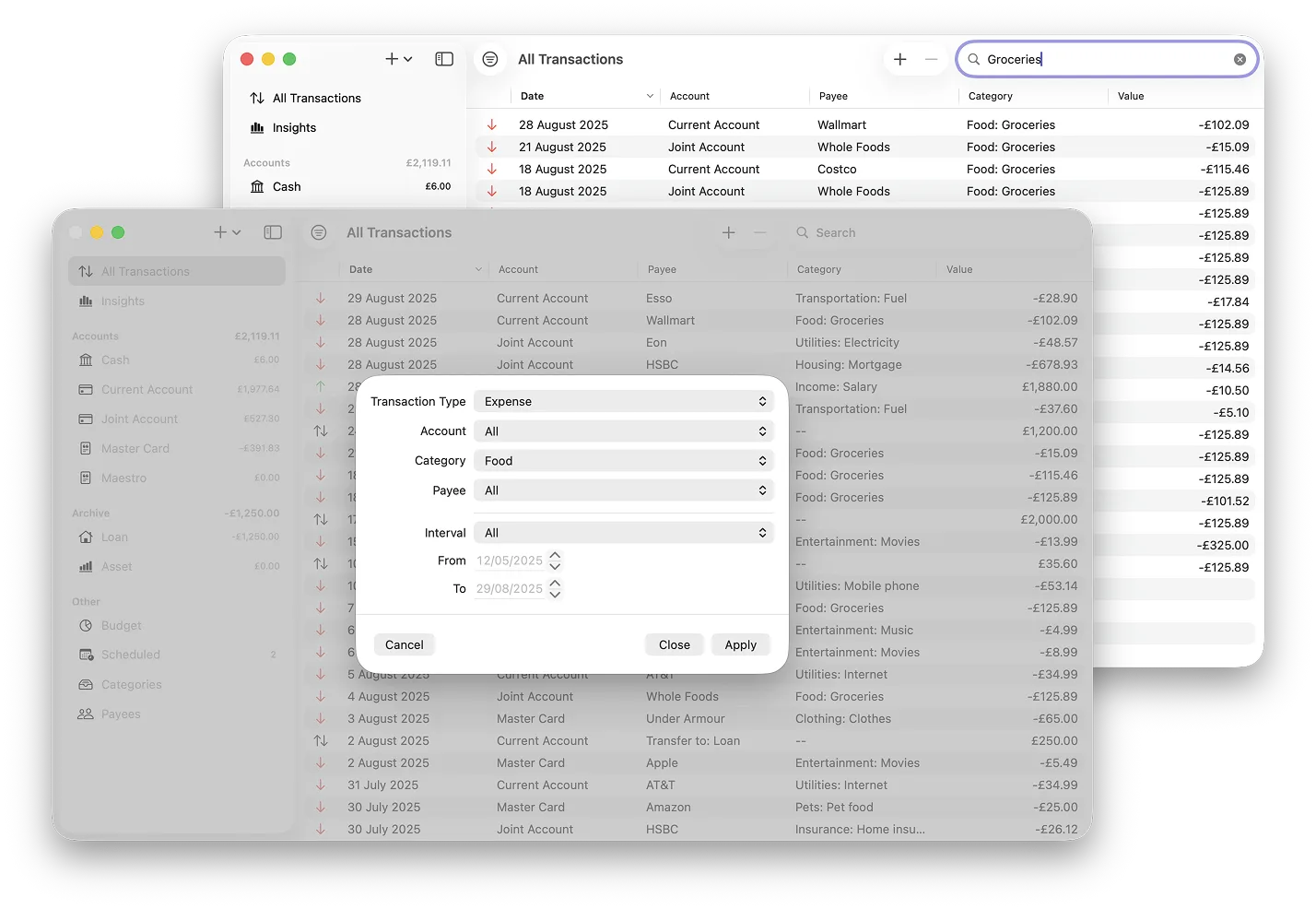
Find any transaction
you’re looking for.
Filter by date, type, account, category, payee, or amount — or just search by keyword across your notes.
- Preset date ranges or fully custom — pick any start and end date
- Combine filters freely: type, account group, category, payee, amount range
- Search by keyword across transaction notes
- Transactions appear in Spotlight Search on iPhone, iPad, and Mac
- Tap a Spotlight result to open the transaction directly
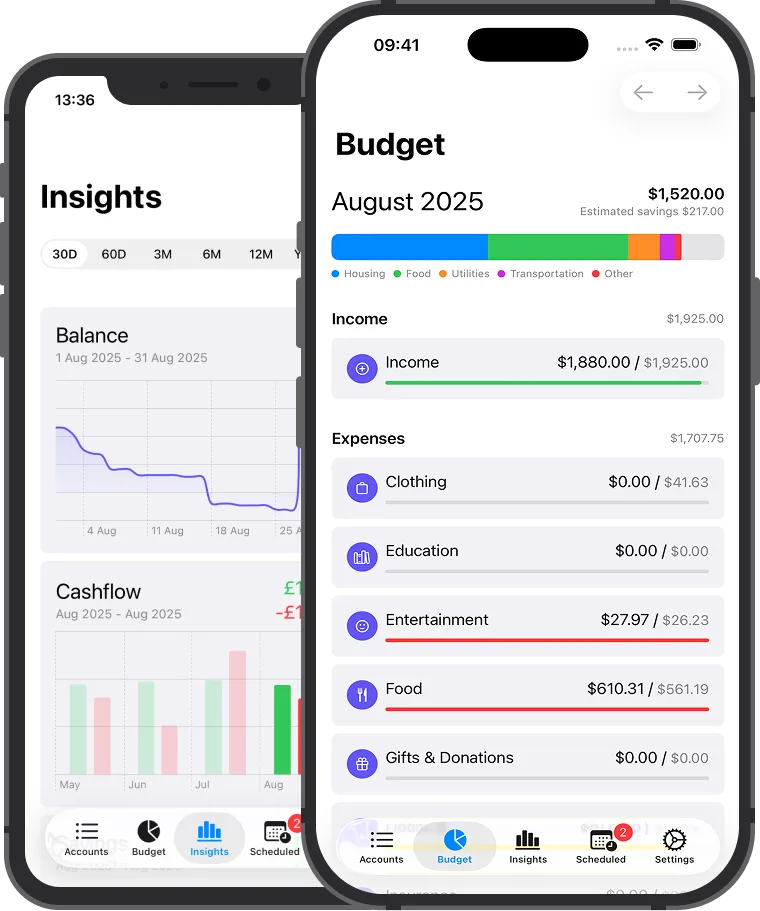
Spending habits.
- Build and manage a monthly budget easily
- Automatic tracking of expenses against your budget
- Get insights into your spending habits, cash flow, and savings trends
- Visual breakdowns by category, payee, and account for better financial decision-making
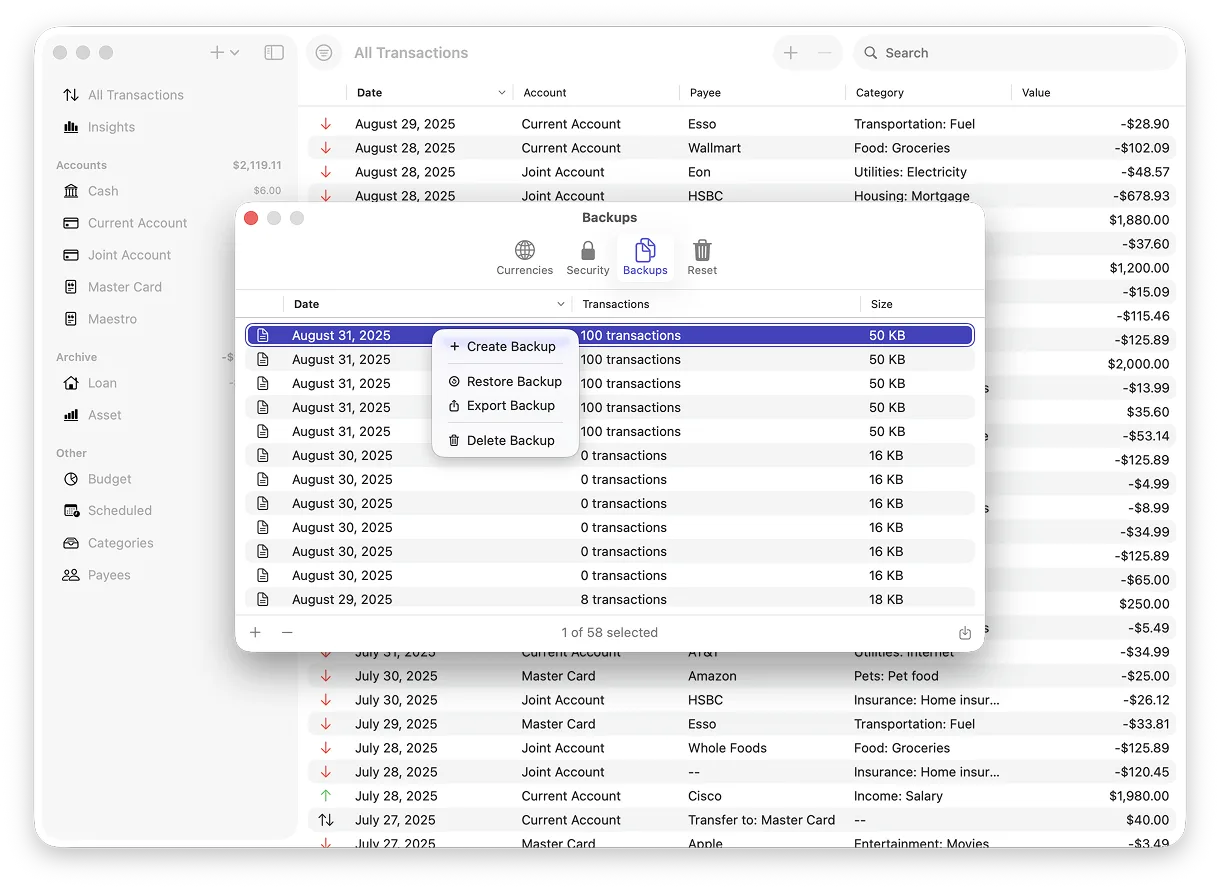
Privacy & security.
- All data is stored locally and synced via your iCloud account
- Touch ID / Face ID support for quick and secure access
- Local backups created automatically
- Easily reset or delete your data if you ever need a fresh start
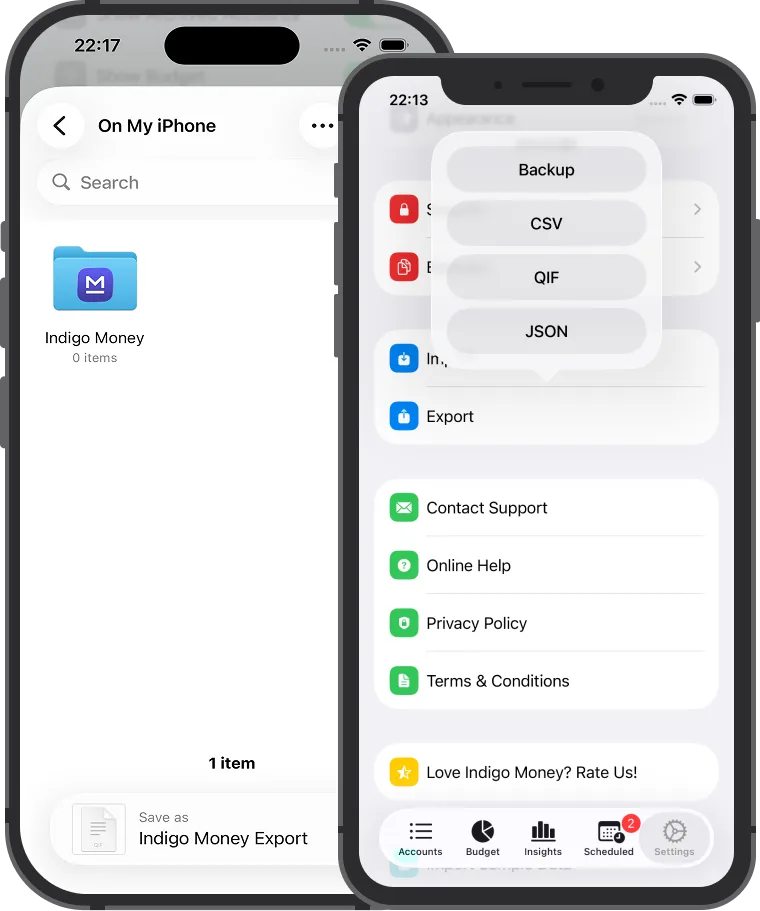
Bring your data in.
Take it out anytime.
Moving from another app? Import your history in minutes. Need a backup or want to open your data in a spreadsheet? Export whenever you like.
- Import: CSV (comma & semicolon), QIF, JSON, and encrypted backups
- Export: CSV, QIF, JSON, and encrypted backup
- Column-mapping lets you match CSV columns from any app
- Batch import of transactions, accounts, and categories at once
- Sample data set included — import it from Settings → Import Sample Data to explore all features before adding your own data. Reset anytime from Settings → Reset All Data
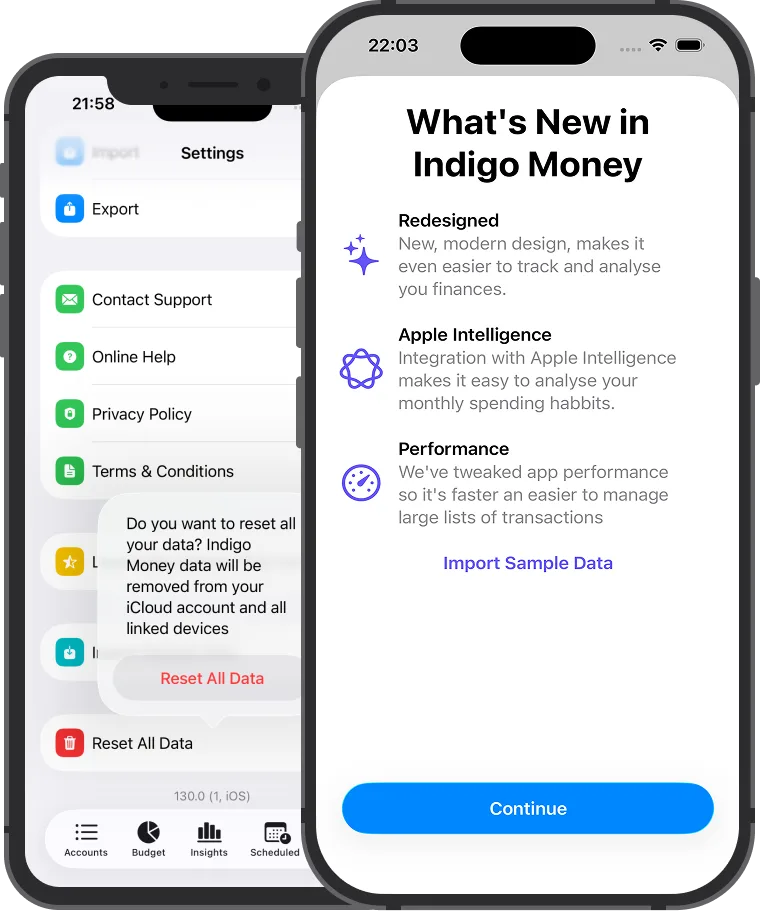
Explore with
sample data.
Indigo Money is preloaded with sample data that highlights major features of the app. Import it via Settings → Import Sample Data. Reset anytime from Settings → Reset All Data.
A plain-English summary
of your month.
Indigo Money writes a spending summary each month — processed entirely on your device, not in the cloud.
- Highlights your biggest expense categories and cashflow trends
- Runs on-device — your financial data never leaves your phone
- Falls back to ChatGPT when Apple Intelligence isn’t available
- Learns from how you categorise things over time
Record any kind
of transaction.
Income, expenses, transfers, currency exchanges, and bank-imported transactions — each with a category, payee, and optional notes.
- Five transaction types covering everything in day-to-day finance
- Categories organised into a hierarchy with custom icons
- Per-payee transaction history so you can see what you spend at each merchant
- Multi-currency transactions with the exact rate at the time
- Group accounts, archive old ones, and keep your history intact
Understand where
your money goes.
Set spending limits by category and see how you’re tracking — across seven chart types that answer real questions about your finances.
- Income and expense budgets with per-category targets
- Monthly savings estimate calculated from your actual transactions
- Balance trend, cashflow, and savings-rate charts over any date range
- Spending breakdowns by category, payee, and account
- Daily heatmap to spot high-spend days across a month
Never miss a
recurring payment.
Set up subscriptions, bills, or regular transfers once. A calendar view shows what’s coming up so nothing catches you off guard.
- Supports daily, weekly, bi-weekly, 4-weekly, monthly, quarterly, and yearly schedules
- Calendar view with a day-by-day list of upcoming transactions
- Apply or skip any upcoming payment with one tap
- Ask Siri to create scheduled transactions by voice
- Home Screen and Lock Screen widgets showing what’s due next
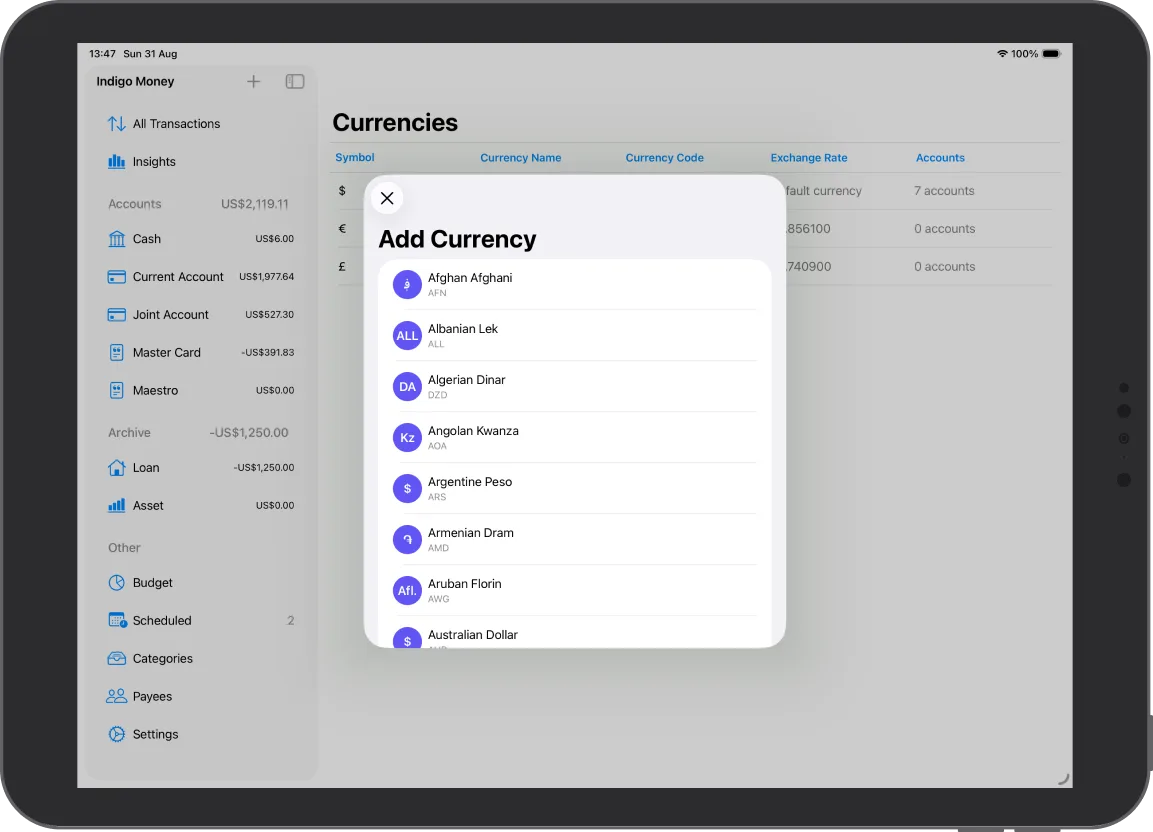
Track money in
any currency.
Each account can have its own currency. Exchange rates update daily so your overall totals are always up to date.
- 150+ currencies following the ISO 4217 standard
- Daily rate updates via CurrenciesAPI
- Record the exact rate when you exchange between currencies
- All account balances convert to your chosen base currency automatically
- Currency widget for quick rate lookups from your Home Screen
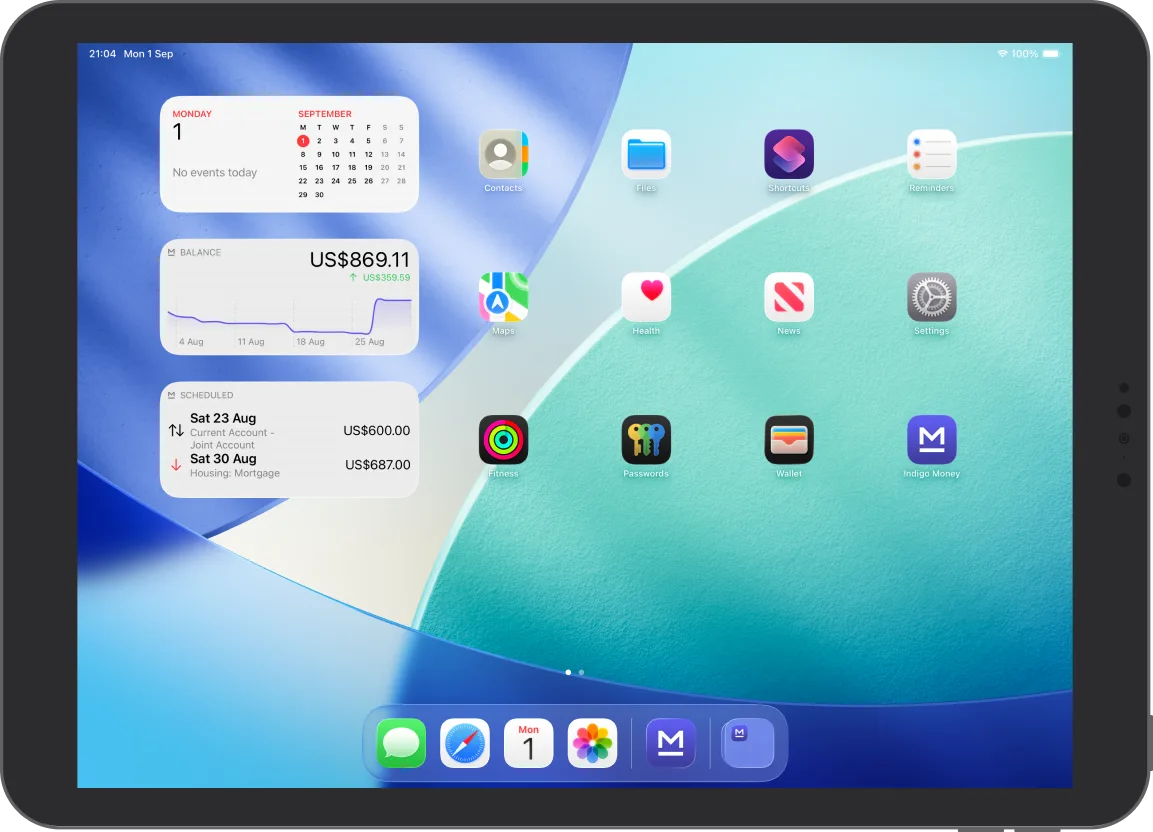
Check your balance without
opening the app.
Add widgets to your Home Screen or Lock Screen, or ask Siri — useful for quick checks without having to open anything.
- Balance Widget — total balance in small, medium, large, and Lock Screen sizes
- Scheduled Transactions Widget — see upcoming payments at a glance
- Currency Widget — live exchange rates for the pairs you care about
- Create Transaction — log a transaction straight from the Lock Screen
- Siri: ask for your balance, balance by account, or to create a transaction
Your data doesn’t
leave your devices.
No account to create, no servers to trust. Your transactions are stored locally and sync via your own iCloud — nowhere else.
- Works fully offline — no internet connection required
- Syncs across your Apple devices via iCloud
- Face ID and Touch ID unlock via Secure Enclave and Keychain
- Optional app-level passcode for an extra layer of protection
- Encrypted backup files you can export and restore at any time
- Full data wipe including iCloud if you want to start fresh
Ask Claude about
your finances.
Export your data and connect Claude Desktop using the free, open-source MoneyMCPServer — then ask anything about your spending, accounts, and budgets in plain English.
- Export everything in one tap via Settings → Export for Claude
- Connect Claude Desktop with the open-source MoneyMCPServer
- Ask questions naturally — no spreadsheets required
- Create transactions, review budgets, and analyse trends through conversation
“I built Indigo Money because I wanted a personal finance app that actually respects your privacy, works offline, and doesn’t need you to create an account. Something that keeps up with how people manage money today.”Sergey Bolshedvorsky — Founder, Indigosoft
What people say.
"Perfect app for those who want a report of how much, to whom, and in what period of time money was given. Light, fast, and without many complicated options — what really matters is precisely 'how much, to whom, and when'. Interfaces perfectly with the Mac version and has fast and professional assistance. Well done."
"A really useful, straightforward app that helps keep track of spending. Easy and intuitive to use."
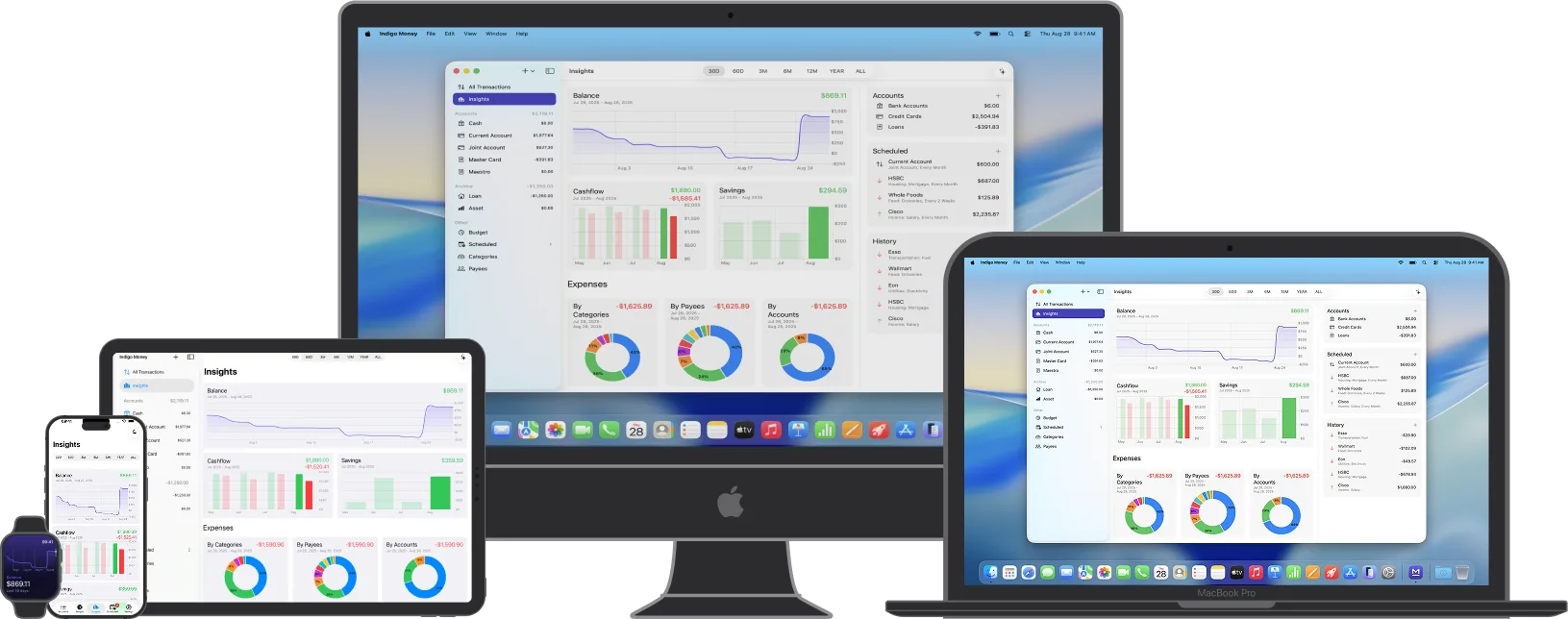
The full app,
on your wrist.
The Apple Watch app isn’t a companion — it’s a complete version of Indigo Money built from the ground up for watchOS.
- See all your accounts and balances from your wrist
- Create and edit transactions directly on Watch
- Balance, cashflow, and savings-rate charts
- Tab-based navigation designed for the Watch’s small screen
- Hand gesture shortcuts for common actions
Also on Apple Vision Pro.
The same Indigo Money, in a spatial interface.

Works on all your
Apple devices.
One download covers iPhone, iPad, Mac, Apple Watch, and Apple Vision Pro. Everything stays in sync via iCloud.
Pricing
Download free and explore with sample data. A subscription or one-time purchase unlocks all features.
Monthly
Cancel anytime
Billed monthly, cancel anytime
- Unlimited transactions
- AI monthly reports
- All 7 insight charts
- 150+ currency support
- All widget types
- Password & biometric protection
- Regular updates
Yearly
Lower cost per month
Billed once a year — save vs monthly
- Unlimited transactions
- AI monthly reports
- All 7 insight charts
- 150+ currency support
- All widget types
- Password & biometric protection
- Regular updates
Lifetime
Pay once, own forever
One-time purchase, no subscription
- Unlimited transactions
- AI monthly reports
- All 7 insight charts
- 150+ currency support
- All widget types
- Lifetime updates